Doxio app icon Doxio
Out now on iOS Android finishing up for Play Store

Scan, compress, and sign PDFs directly on your phone.

Since Microsoft Lens shut down, finding a plain, reliable document scanner has gotten oddly difficult. Most apps left on the stores want an account on first launch, stamp a logo on the page, or lock basic exports behind a weekly subscription. Doxio stays simple: black-and-white interface, everything processed locally on your device, and nothing uploaded anywhere.

Runs offline Every tool keeps working in airplane mode
~0.6s per 12 MP photo Hits 2 MB, 1 MB, or 500 KB ceilings cleanly
Searchable OCR Copies clean text with intact diacritics
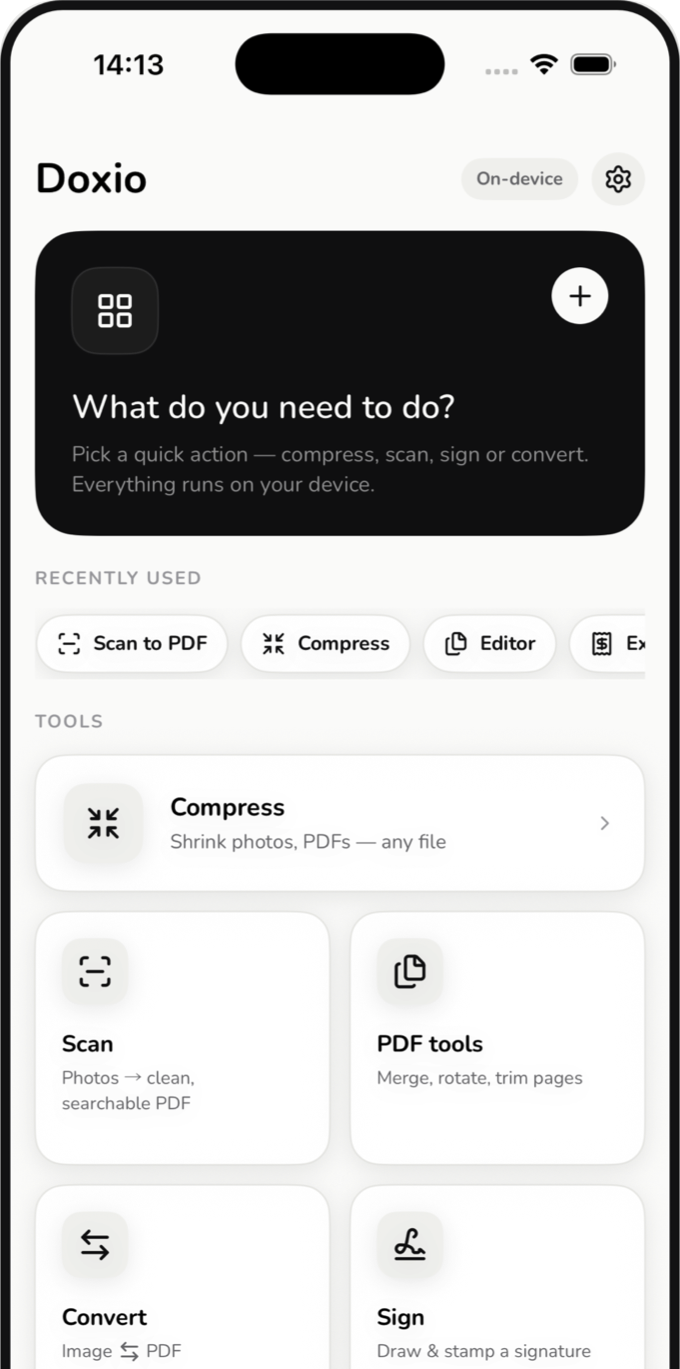
Doxio home screen on iPhone
Background

Why build another PDF utility?

Anyone who has had to submit paperwork before a deadline knows the annoyance: you open a scanner app to photograph two sides of an ID or a signed form, and the first thing on screen is a login prompt. Skip past it and you get a three-day trial that rolls into a steep weekly charge, or an exported PDF with a watermark in the corner.

Modern phones already have more than enough speed to crop edges, clean up shadows, recognize text, and shrink images right on the spot. There is no technical reason a routine scan of your passport or bank statement needs to leave your phone for an external server.

Doxio was written to keep those chores simple and self-contained. The core engine runs in native C++ on your device, wrapped in a quiet black-and-white interface that gets you in, finishes the file, and gets out of the way.

Walkthrough

Five screens you actually spend time in

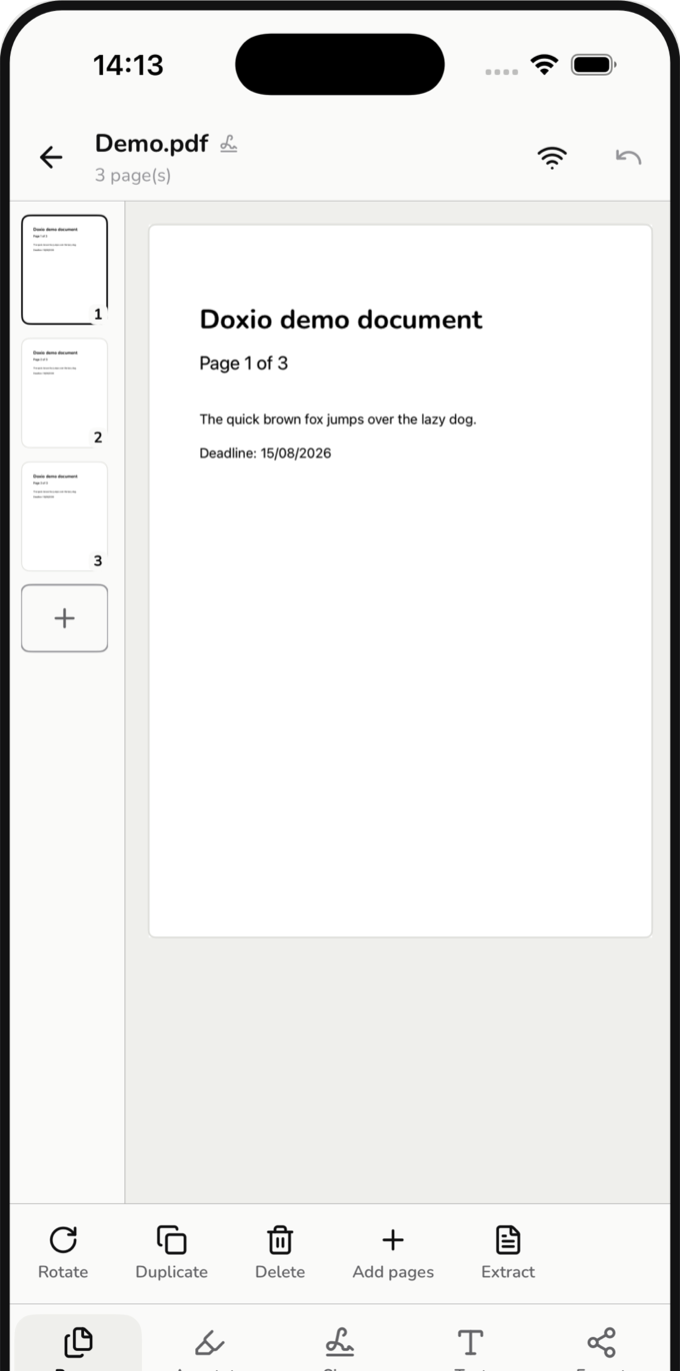
Doxio single-screen PDF Workspace

Reorder pages, annotate, sign, redact, pull text, and export from one place.

Try it here

Two details that solve common headaches

Compress to an exact upload size ceiling

Government portals and job applications often cap uploads at 500 KB or 1 MB while phone cameras shoot 4 to 5 MB JPEGs. Rather than guessing a quality slider multiple times, pick the size ceiling directly. The engine searches for the sharpest compression that fits underneath.

Original 4.80 MB
Compressed 964 KB
Quality 74% · Full 12 MP kept 0.6s

Redaction that actually removes the hidden text

Painting a black bar over an account number in a basic markup tool often leaves the PDF’s underlying text layer untouched, so anyone can highlight and copy it right back out. Doxio’s redaction strips the characters underneath before exporting.

Applicant: Daniel Nguyen
ID Number: 079095001842
Salary: $118,500 / yr
Tap or hover the black boxes above: the hidden text is still selectable underneath.
Moving from Microsoft Lens?

Import your old scan folder in one pass.

If you still have a folder full of scanned JPGs and PDFs left over from Microsoft Lens or CamScanner, point Doxio to that folder once. It copies everything into your local Library so you can search across them right away, leaving your original files untouched.

Step 1: Select the folder holding your older scans.
Step 2: Doxio brings in both photos and PDFs in one batch.
Step 3: Organize with stars, folders, or full-text search.
More tools

Small jobs you only remember when you need them

Both sides of an ID on one A4

Photograph front and back and place them on an A4 page at true 85.6 mm card scale, ready to print.

Split open book spreads

Shoot an open two-page spread once; Doxio locates the spine crease and splits it into two straight pages.

Table photos into CSV

Capture printed receipts or tabular sheets and export a clean CSV file for Excel or Numbers.

Stitch tall screenshots

Combine long message threads or receipts into one seamless vertical image with clean color fidelity.

Password-lock and unlock PDFs

Add a password before emailing sensitive files, or strip passwords off documents when you already have the key.

Convert both ways

Combine images into one PDF, export PDF pages as 300-DPI images, pull text to Word (.docx), or listen aloud.

Privacy

How Doxio handles your documents

No accounts

Open the app and start using it. There is no email sign-up, no login, and no server storing your files.

Offline processing core

The image and compression engine works solely on in-memory buffers on your device and contains no networking code.

No ads or analytics SDKs

Nothing inside the app tracks when you scan, what documents you open, or how often you use a tool.

Network use is strictly opt-in

Network connections happen only when you choose to download an OS language pack or open local Wi-Fi transfer.

Pricing

Free without watermarks. One-time unlock if you want Pro.

What is included for free: Everyday work up to 12 pages per document, with no ads and no watermarks. The six Pro tools (batch compress, true redaction, watermark, password protect, unlock, and typed signature) also come with 3 free tries each so you can test them on real documents first.

Iced tea

$0.99 / 19.000₫ · Once

The smallest tier. Removes the 12-page limit and unlocks all six Pro tools permanently.

Bubble tea, all toppings

$4.99 / 99.000₫ · Once

Identical Pro features, just an optional extra tip for ongoing development.

Available now

Doxio for iPhone & iPad

Out now on the App Store with the full Workspace, searchable OCR, target-size compression, local Library, and Wi-Fi QR transfer.

Open in App Store
Preparing for Play Store

Doxio for Android

Built on the same C++17 core with matching features. Currently going through final checks before its Google Play release.

Email to get notified at launch